SMS Program Terms
Last updated: May 9, 2026
This page documents the WorkCampConnect SMS text messaging program — what messages we send, how members opt in, message frequency, opt-out keywords, and required carrier disclosures. It supplements Privacy Policy § 6 and Terms of Service § 9.
WorkCampConnect is a membership community platform serving work campers, RVers, van lifers, and travelers. Our SMS program sends only the following types of messages to opted-in members:
- Account verification codes — one-time 6-digit codes during registration, login by text, or phone-number changes.
- Security alerts — new-device login notifications, password change confirmations, and account-recovery completion notices. Opt-in only.
- Job alerts — new-job-match notifications based on saved searches the member has explicitly enabled SMS on. Opt-in only.
Brand: Work Camp Connect LLC. Service provider: SMS messaging is powered by Twilio. We never send marketing or promotional messages, and we never share your phone number with third parties or affiliates for marketing purposes.
Members opt in to receive SMS in three places. Each opt-in is an explicit, affirmative action by the member — nothing is pre-checked.
2a. Account Verification (required for all members)
Every member registration form (Solo, Couple, or Crew / Family) at /register/solo/, /register/couple/, and /register/crew/ requires a US or Canadian mobile phone number. The phone field is marked with a red required asterisk and an information tooltip stating "Fast account verification — Get a text code in seconds." When the member submits the form, we send a Twilio Verify code to that number; entering and submitting the code is the explicit consent to receive transactional account SMS (verification codes and any opt-in messages they enable later).
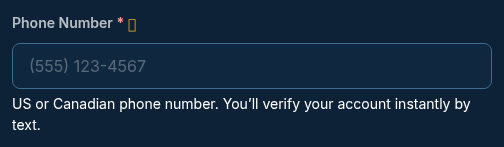
Phone field on the WCC registration form (/register/solo/ and equivalents)
2b. Security Alerts and Job Alerts (optional, post-registration)
Inside their account at /dashboard/account.php (Settings tab → Phone & SMS Alerts), members affirmatively check independent opt-in checkboxes for the message types they want to receive. Both checkboxes are unchecked by default and require a click to enable. Members can uncheck either one at any time and click Save Preferences to opt out.
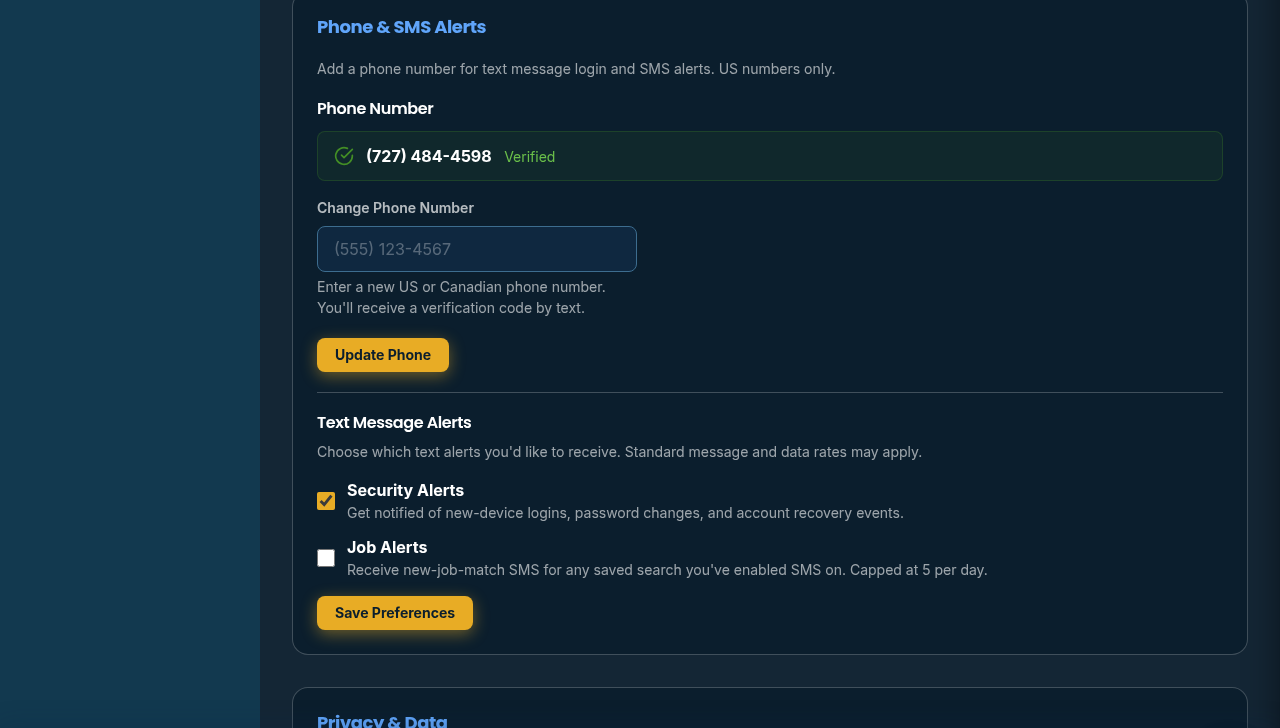
Phone & SMS Alerts card in member dashboard settings
2c. Per-Saved-Search SMS Toggle (optional, for Job Alerts)
Even after enabling the global Job Alerts SMS opt-in (Section 2b), members must additionally enable SMS delivery on each individual saved job search they want to receive SMS for. This is done either at search-creation time on the job board browse page via the Save Search modal, or after creation on the /dashboard/alerts.php page via a per-search SMS toggle button. The checkbox is disabled with explanatory hint text when the member is not yet eligible.
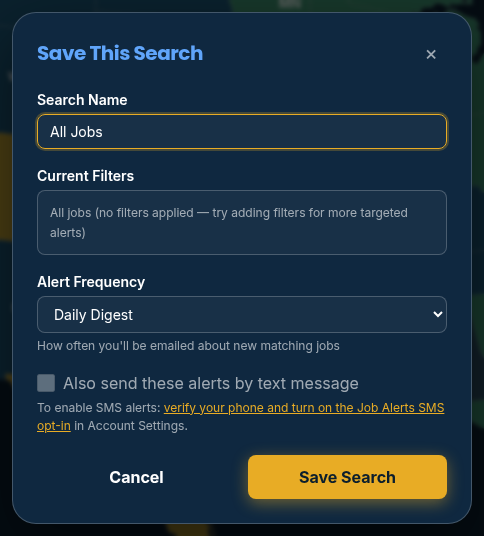
Save Search modal on the job board (/jobs/browse/) with the SMS opt-in checkbox
| Message Type | When Sent | Frequency |
|---|---|---|
| Verification code | At registration, when logging in by text, or when changing phone number | As needed (only when member initiates an action) |
| Security alert | New-device login, password change, or account-recovery completion (opt-in only) | Infrequent — only when one of these events occurs |
| Job alert | When new jobs match a member's SMS-enabled saved search (opt-in only) | Up to 5 SMS per member per day across all saved searches |
Standard carrier message and data rates may apply.
| Verification | WorkCampConnect: Your verification code is 123456. Code expires in 10 minutes. Don't share this code. Reply HELP for help, STOP to opt out. |
| Security — new device | WorkCampConnect: New login to your account from Chrome on iPad. If this wasn't you, reset your password at workcampconnect.com/login/forgot. Reply STOP to opt out. |
| Security — password | WorkCampConnect: Your password was just changed. If this wasn't you, contact support immediately at workcampconnect.com/help. Reply STOP to opt out. |
| Job alert — instant | WCC: 3 new jobs match "Florida camp host" — Camp Host at Lazy Days RV (Florida). View: workcampconnect.com/jobs/browse/. Reply STOP to opt out. |
| Welcome — verification at signup | WorkCampConnect: Welcome! To verify your phone, enter this code on the signup page: 654321. Code expires in 10 minutes. Reply STOP to opt out. |
Members may opt out of WorkCampConnect SMS at any time through any of the following methods:
- Reply STOP to any WorkCampConnect SMS. Stop keywords supported (managed automatically by Twilio):
STOP,CANCEL,END,QUIT,UNSUBSCRIBE,OPTOUT,REVOKE. Twilio sends a confirmation reply: "You have successfully been unsubscribed. You will not receive any more messages from this number. Reply START to resubscribe." - Toggle the opt-in checkboxes off in your account at Account Settings → Phone & SMS Alerts.
- Toggle SMS off per saved search on the /dashboard/alerts.php page.
Opting out does not affect required transactional verification messages — verification codes are TCPA-exempt as they are sent only in response to an action the member explicitly initiated (logging in, changing phone number, etc.).
Reply HELP to any WorkCampConnect SMS for support contact information.
- Standard message and data rates may apply. Frequency varies by message type — see the table in Section 3.
- Phone-number privacy: Information obtained as part of the SMS consent process — including your mobile number, opt-in choices, and consent records — will never be shared with third parties or affiliates for marketing or promotional purposes. See Privacy Policy § 6 for full details.
- No marketing or promotional SMS. WorkCampConnect does not send commercial promotional messages. All SMS is either transactional (verification) or member-initiated opt-in (security alerts, job alerts).
- One number per account. Each WorkCampConnect account is associated with one phone number. Members may change their phone number at any time in Account Settings — the new number is verified via SMS before replacing the old one.
- Service provider: SMS delivery is provided by Twilio. WorkCampConnect does not store the verification codes themselves — those are managed on Twilio servers.
For questions about the SMS program, please contact our support team through the help center. Related references:
- Privacy Policy — Section 6 covers SMS data handling.
- Terms of Service — Section 9 covers SMS rights and obligations.
- Cookie Policy